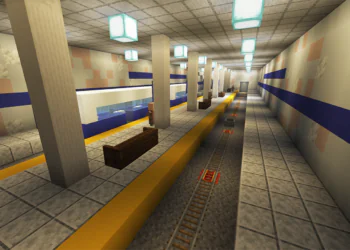
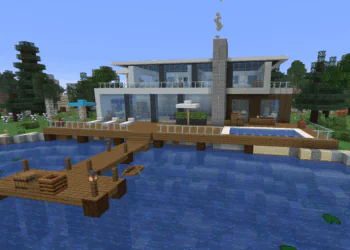
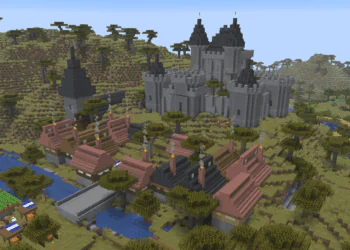
If you just want the safest pick, install Faithful: it keeps the classic Minecraft look but sharper, and it’s kept up to date for new versions. For a clean simple style go with Bare Bones, and for realism try Patrix. Our full top 10 list below covers a pack for every play style.
This list is current for 2026 (Minecraft Java 26.3 and Bedrock 26.50, Wilderness Bound).
Texture packs are a way to modify the appearance of blocks in Minecraft. When you’re building something large like a castle, having a texture pack installed will make the whole build look more visually appealing. Every block can look sharper and more detailed, greatly enhancing the appearance of buildings.
Although texture packs are now officially called “resource packs”, many people still just refer to them as “texture packs” out of habit. The term resource pack is more inclusive, as packs can now change other things in the game like audio and animations.
Texture Packs vs Shaders (What’s the Difference?)
These two get mixed up a lot. Texture packs change the look of blocks, items, and mobs. Shaders change the lighting, shadows, water reflections, and sky. You can use both at the same time, and the prettiest screenshots you see online usually combine a texture pack with a shader.
Packs also come in different resolutions: vanilla Minecraft is 16x, while packs like 32x, 64x, or 128x have more detail per block. Higher resolutions look sharper but need a stronger computer, so start with 16x or 32x if your PC is older.
One more note for Bedrock players: Bedrock Edition got an official visual upgrade called Vibrant Visuals, and its packs come from the in-game Marketplace instead of download sites. The packs in this list are for Java Edition unless the creator offers a Bedrock version.
Installing Minecraft Texture Packs
First, you will need to select a texture pack that you like (completely up to your personal preference) and download the files for it. Once you have the files, open Minecraft, go to Options, then Resource Packs, and click “Open Pack Folder”. Drag the downloaded files into this folder and voila, you can enable the texture pack in the options menu.
Some pack features (like custom skies and connected textures) need an extra mod: the classic option is OptiFine, though many players today use the Sodium and Iris mods instead for better performance. Check each pack’s page for what it recommends.
Before you download, also check which Minecraft version the pack’s latest release supports. Some well-loved packs haven’t been updated in years, and any block added after a pack’s last update (like the new poplar wood and cushions from Wilderness Bound) will just show its normal Minecraft texture.
Here are our top picks for the best Minecraft texture packs in 2026!
1. Faithful
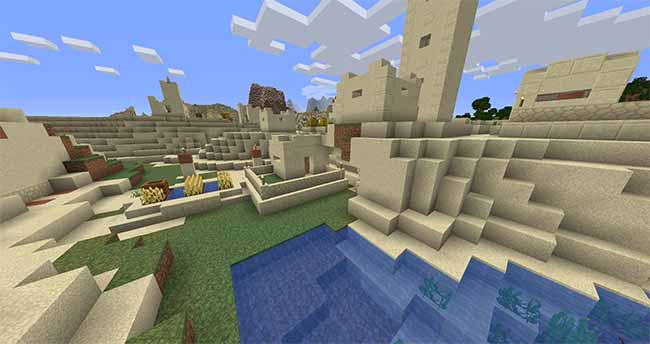
As one of the most popular Minecraft texture packs, Faithful has many millions of downloads. This pack is so popular because it stays true to the original game (with minor details added). If you want a pack that is similar to “vanilla” Minecraft, but slightly more detailed, Faithful would be a great pack to install.
As a popular pack, it tends to stay updated which is a big plus. Many other popular packs can get abandoned by their creators and don’t receive updates for newer versions of Minecraft. Faithful comes in 32x and 64x versions, so you can pick the level of detail your computer can handle.
The Faithful texture pack can be downloaded on their website.
2. Monsterley HD
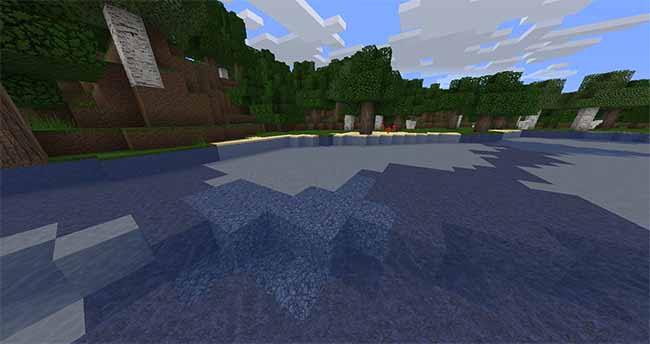
Monsterley is a fantastic “semi-realistic” Minecraft texture pack. This means that the pack makes things like water look much more realistic and less “blocky”.
When combined with OptiFine, the graphics get new life with much more realistic water and grass. This is a great benefit of using this pack as compared to many other packs, which don’t give additional benefits when using OptiFine.
Keep in mind that Monsterley hasn’t been updated for recent versions of Minecraft (its official pages list versions up to 1.16), so it works best if you play on an older version. On a current world, newer blocks will keep their default look.
The Monsterley HD texture pack can be downloaded on CurseForge.
3. Mythic
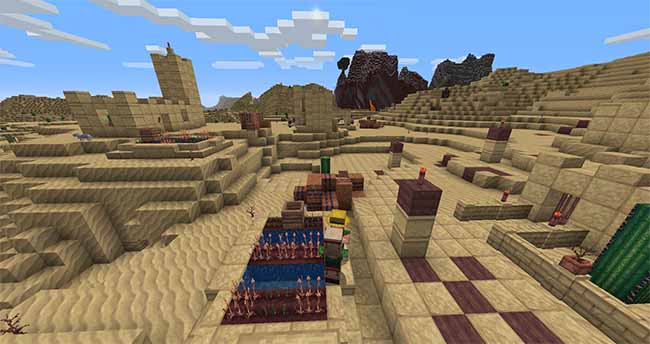
When installing the Mythic texture pack, right away we noticed that the sand is a bit of an eyesore when viewed from a far distance (such as flying in creative mode). However, in survival when you are very close to the sand, it actually looks very detailed and nice. This pack is great if you are okay with Minecraft looking and feeling quite a bit different.
It is a good option if you like to build medieval architectures such as castles.
The Mythic texture pack can be downloaded on CurseForge.
4. “The Creator Pack”
The Creator texture pack is a fantastic one if you like to construct a lot of buildings (like a village or a city).
If you watch the video above, you can see that it really brings out the beauty when you’re building things in Minecraft by changing the core blocks like wood, stone, and so on.
The Creator Pack can be downloaded on CurseForge.
5. Clarity
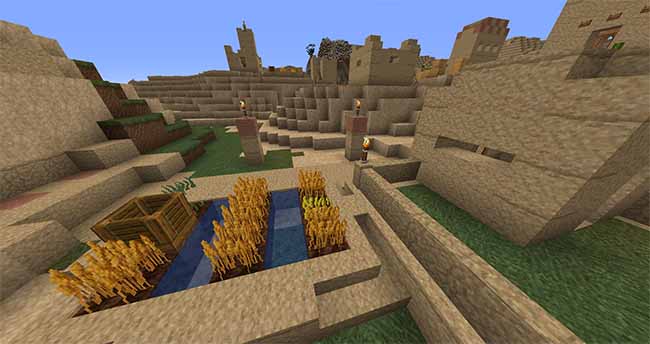
Clarity is a clean texture pack for Minecraft which will make your game look sleek and elegant. As a bonus, it also includes realistic skies (even starry nights and a great moon) when used with OptiFine. This is a great pack for people who want a “fresh and clear” look to their Minecraft world.
The Clarity texture pack can be downloaded on CurseForge.
6. Bare Bones
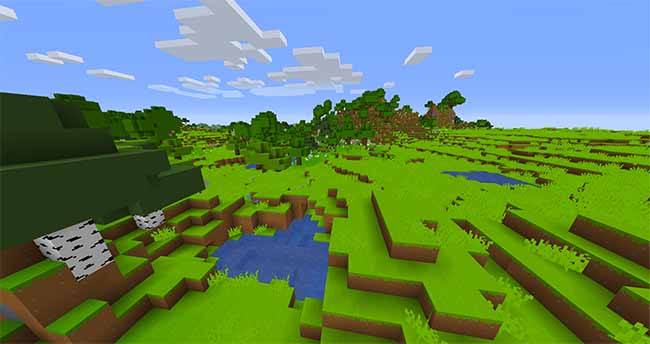
The name “Bare Bones” describes this Minecraft texture pack really well. You will notice quickly that it has very simplistic and colorful textures. Particularly, the blocks feel more solid, with less detail, and less pixelated.
Some players might find that the colors are too “saturated” and might cause some eyesore after playing a few hours. However, a lot of players are enjoying this pack regardless! As a bonus, its simple textures are easy on older computers, which makes it a favorite for FPS-friendly setups.
The Bare Bones texture pack can be downloaded on CurseForge.
7. Annahstas Beastrinia
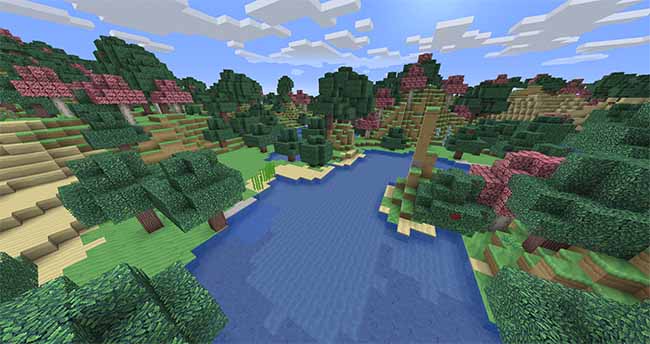
Despite having a difficult to pronounce name, this texture pack looks stunning and is inspired by Pokémon. It is cute, stylish, and even makes birch trees appear as pink cherry blossom trees. If you have built a garden in Minecraft, this pack is sure to make it look more pretty!
Annahstas adds a lot more “blue” to the game, as you can see even in the photo the leaves and grass have a small blue-green tinge to them. Your Minecraft world might feel a little bit more modded, almost as though you installed a Minecraft modpack. These days vanilla Minecraft has its own cherry groves, so with this pack you’ll have pink trees in two different styles.
The Annahstas Beastrinia texture pack can be downloaded on CurseForge.
8. Dramatic Skies
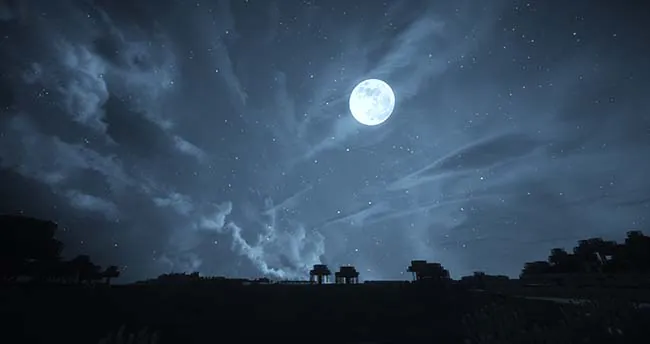
Now this is more of a true Minecraft “resource pack” since it completely changes the sky, and not the block textures. Just by looking at the photo you can see this pack is absolutely beautiful and as a bonus it can be used with other packs too!
This pack requires OptiFine (or another mod that supports custom skies) to be installed.
The Dramatic Skies resource pack can be downloaded on CurseForge.
9. Patrix
Patrix is one of the most beloved realistic packs in the community, and it shows up on basically every “best packs” list for good reason. The stone, wood, and nature textures have real depth to them, with weathered bricks and mossy details that make survival worlds feel atmospheric instead of flat.
The free 32x version runs well on most computers and pairs beautifully with shaders. If you take screenshots of your builds to share online, this is the pack to try first.
The Patrix texture pack can be downloaded on CurseForge.
10. Fresh Animations
Fresh Animations is a different kind of resource pack: instead of changing block textures, it gives mobs smooth, expressive animations. Villagers raise their eyebrows, zombies stumble around, and animals move naturally instead of gliding stiffly across the ground.
Because it doesn’t touch block textures, you can combine it with any pack on this list. It does need extra mods to work: either the Entity Model Features and Entity Texture Features mods, or OptiFine. It’s one of those packs that is hard to give up once you’ve played with it!
The Fresh Animations pack can be downloaded on CurseForge.
Frequently Asked Questions
Are texture packs free?
Most Java Edition packs are free on sites like CurseForge and Planet Minecraft, though some creators offer paid high-resolution versions. On Bedrock Edition, packs mostly come from the Marketplace and many cost Minecoins.
Why isn’t my texture pack working?
First, make sure you dragged in the pack’s .zip file, not a folder with another folder inside it. If Minecraft warns that the pack was made for a different version, you can still turn it on, but some textures may not show. Finally, check whether the pack needs OptiFine or another mod for features like custom skies or animations.
Will my texture pack change the new Wilderness Bound blocks?
Only once the pack’s creator updates it. Until then, new blocks like poplar wood, cushions, and concrete stairs will use Minecraft’s default textures, which can look a little out of place next to a heavily styled pack.
Can other players see my texture pack?
No. Texture packs only change what you see on your own screen. The exception is a server resource pack, which a server can send to everyone who joins.
That concludes our top picks for the best Minecraft texture packs in 2026. Do you have any additions or suggestions? Leave a comment below!